
Operational views
Review work, evidence, exceptions and authorised decisions within a defined operating scope.
Enterprise operations / APPLICATION BLUEPRINT
Maintain a traceable asset record across custody, planned maintenance, repair, return to service, transfer and disposal.
12 workspace menus · 12 business workflows · 5 role profiles
Application blueprint only. This is a proposed design, not a deployed or production-tested system. Screens and sample figures are illustrative; workflows, business rules, approvals, permissions and integrations require confirmation before build.
Designed for Asset, maintenance and finance directors
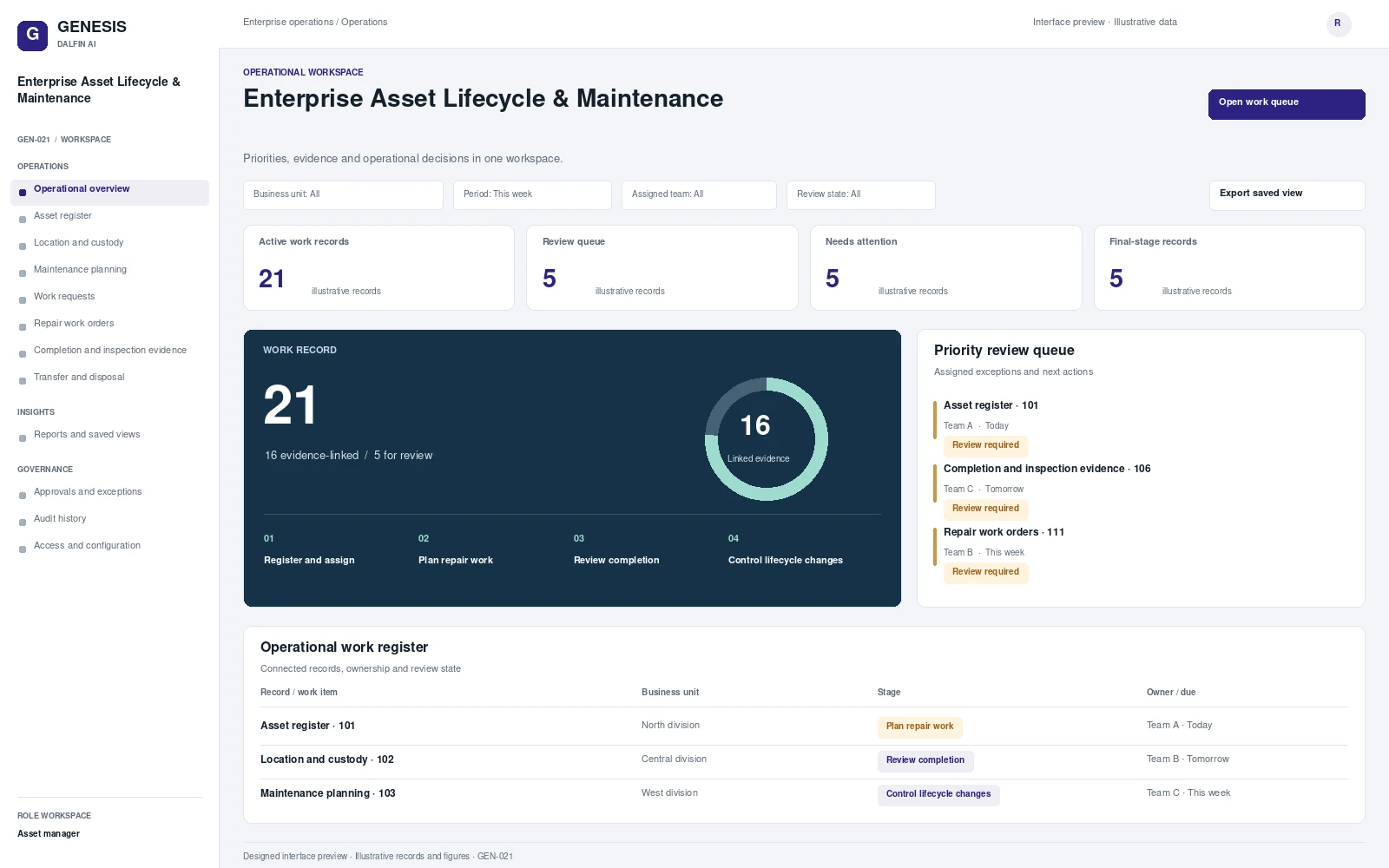
Illustrative workspace and record review. Select a concept screen to inspect it in full.
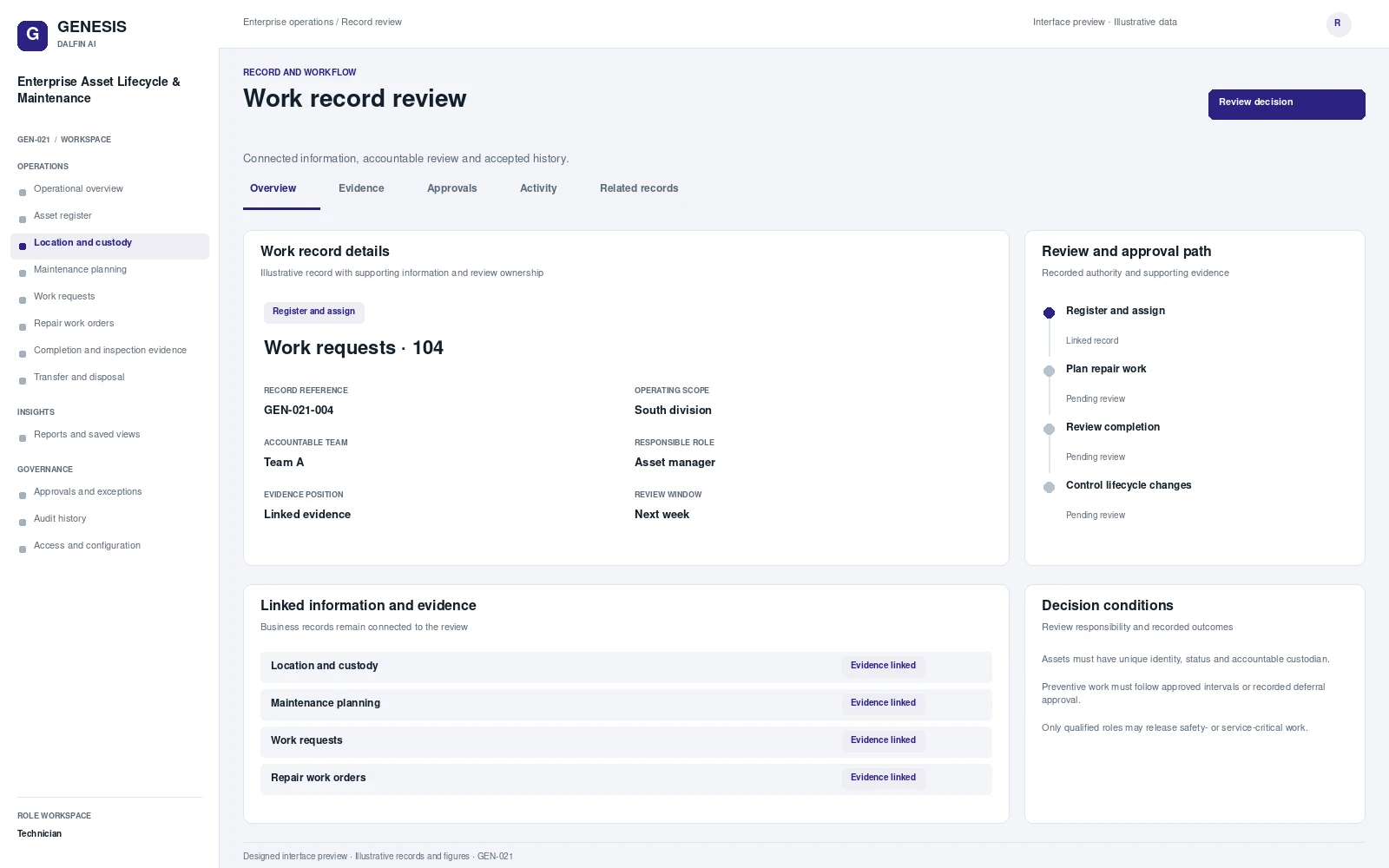
Review work, evidence, exceptions and authorised decisions within a defined operating scope.
Maintain a traceable asset record across custody, planned maintenance, repair, return to service, transfer and disposal. An asset register alone does not explain who holds equipment, what maintenance is due or why it was returned to service. The system connects operational history and authorised lifecycle decisions, while preserving the evidence needed by maintenance and finance teams.
From intake to authorised completion, with evidence at each decision.
Register assets, custodians and maintenance obligations.
Schedule work orders and approve repair resources.
Review completed work and return to service.
Approve transfers or disposal and reconcile financial records.
Select a workflow to review the steps, responsibilities, approval and exception handling.
Coordinate asset register within Enterprise asset lifecycle and maintenance.
Trigger
Asset register requires a new record, an agreed review or a controlled change.
Responsible role
Asset manager
Approval
Return-to-service approver records the decision when the action changes an accepted commitment or requires delegated authority.
Exception handling
Required information or responsibility is missing, or an operating condition changes.
Outcome
A completed operating record with its linked evidence and remaining obligations.
Coordinate location and custody within Enterprise asset lifecycle and maintenance.
Trigger
Location and custody requires a new record, an agreed review or a controlled change.
Responsible role
Asset manager
Approval
Return-to-service approver records the decision when the action changes an accepted commitment or requires delegated authority.
Exception handling
Required information or responsibility is missing, or an operating condition changes.
Outcome
A completed operating record with its linked evidence and remaining obligations.
Coordinate maintenance planning within Enterprise asset lifecycle and maintenance.
Trigger
Maintenance planning requires a new record, an agreed review or a controlled change.
Responsible role
Asset manager
Approval
Return-to-service approver records the decision when the action changes an accepted commitment or requires delegated authority.
Exception handling
An assumption changes, prerequisites are missing or stakeholders cannot accept the proposed commitment.
Outcome
An approved operating plan and owned actions for its accepted conditions.
Coordinate work requests within Enterprise asset lifecycle and maintenance.
Trigger
Work requests requires a new record, an agreed review or a controlled change.
Responsible role
Asset manager
Approval
Return-to-service approver records the decision when the action changes an accepted commitment or requires delegated authority.
Exception handling
Required information or responsibility is missing, or an operating condition changes.
Outcome
A completed operating record with its linked evidence and remaining obligations.
Coordinate repair work orders within Enterprise asset lifecycle and maintenance.
Trigger
Repair work orders requires a new record, an agreed review or a controlled change.
Responsible role
Asset manager
Approval
Return-to-service approver records the decision when the action changes an accepted commitment or requires delegated authority.
Exception handling
Required information or responsibility is missing, or an operating condition changes.
Outcome
A completed operating record with its linked evidence and remaining obligations.
Coordinate completion and inspection evidence within Enterprise asset lifecycle and maintenance.
Trigger
Completion and inspection evidence requires a new record, an agreed review or a controlled change.
Responsible role
Technician
Approval
Return-to-service approver records the decision when the action changes an accepted commitment or requires delegated authority.
Exception handling
Evidence is incomplete, disputed, expired or outside the reviewer’s authority.
Outcome
A review finding, its accepted evidence and any accountable corrective actions.
Coordinate transfer and disposal within Enterprise asset lifecycle and maintenance.
Trigger
Transfer and disposal requires a new record, an agreed review or a controlled change.
Responsible role
Asset manager
Approval
Return-to-service approver records the decision when the action changes an accepted commitment or requires delegated authority.
Exception handling
The receiving team declines an obligation or a dependency remains open.
Outcome
Accepted responsibility, transfer evidence and retained follow-up obligations.
Coordinate operating requirement within Enterprise asset lifecycle and maintenance.
Trigger
Operating requirement requires a new record, an agreed review or a controlled change.
Responsible role
Asset manager
Approval
Return-to-service approver records the decision when the action changes an accepted commitment or requires delegated authority.
Exception handling
An assumption changes, prerequisites are missing or stakeholders cannot accept the proposed commitment.
Outcome
An approved operating plan and owned actions for its accepted conditions.
Coordinate operating exceptions within Enterprise asset lifecycle and maintenance.
Trigger
Operating exceptions requires a new record, an agreed review or a controlled change.
Responsible role
Asset manager
Approval
Return-to-service approver records the decision when the action changes an accepted commitment or requires delegated authority.
Exception handling
The case exceeds delegation, contains a conflict or has disputed evidence.
Outcome
An authorised decision or escalation with accountable resolution actions.
Coordinate completion and follow-up within Enterprise asset lifecycle and maintenance.
Trigger
Completion and follow-up requires a new record, an agreed review or a controlled change.
Responsible role
Technician
Approval
Return-to-service approver records the decision when the action changes an accepted commitment or requires delegated authority.
Exception handling
Evidence is incomplete, disputed, expired or outside the reviewer’s authority.
Outcome
A review finding, its accepted evidence and any accountable corrective actions.
Coordinate controlled operating changes within Enterprise asset lifecycle and maintenance.
Trigger
Controlled operating changes requires a new record, an agreed review or a controlled change.
Responsible role
Technician
Approval
Return-to-service approver records the decision when the action changes an accepted commitment or requires delegated authority.
Exception handling
Evidence is incomplete, disputed, expired or outside the reviewer’s authority.
Outcome
A review finding, its accepted evidence and any accountable corrective actions.
Coordinate scoped operational reports within Enterprise asset lifecycle and maintenance.
Trigger
Scoped operational reports requires a new record, an agreed review or a controlled change.
Responsible role
Asset manager
Approval
Return-to-service approver records the decision when the action changes an accepted commitment or requires delegated authority.
Exception handling
Required information or responsibility is missing, or an operating condition changes.
Outcome
A completed operating record with its linked evidence and remaining obligations.
Interface scope, data mapping and testing are agreed for each engagement.
View asset details, record inspections and capture field evidence on mobile or tablet. Offline operation requires a separately tested implementation.
Access approved workflows through the Dalfin mobile app. Device tasks and permissions are confirmed for the deployment.
Summarise maintenance history and suggest issues for planner review. Predictive maintenance would require a separate data and model assessment.
AI extensions are scoped around the required data, business outcome and review controls.
Connect requirements, roles, records, workflows and interfaces through the agreed Genesis engineering process.
Review dependency impact and validation requirements. Context Memory supports governed changes and accepted application revisions.
Agree customer cloud or on-premises requirements, device access, implementation acceptance and ongoing engineering support.
AN EXAMPLE OPERATING SCENARIO
A asset is assigned to a custodian and reaches a scheduled maintenance date. A technician records an unresolved defect, the reviewer requires rework and the completed evidence is accepted before return to service. A subsequent transfer preserves the previous custody record.
Roles, approval authority, business rules, records and reporting are configured around your operating model. Scope definition connects the required business outcome to workflows, interfaces and acceptance criteria.
Operators, reviewers and authorised decision makers have defined responsibilities. Approval limits, exception handling and access permissions are agreed with your business owners and tested against the selected workflows.
Interface requirements cover your existing business systems, data ownership, mapping and authentication. Connection design and testing form part of the agreed implementation scope.
Start with a relevant business transaction, then review its approvals, an exception, role permissions and final records. Discuss the integrations, reporting and operating requirements that matter to your organisation.
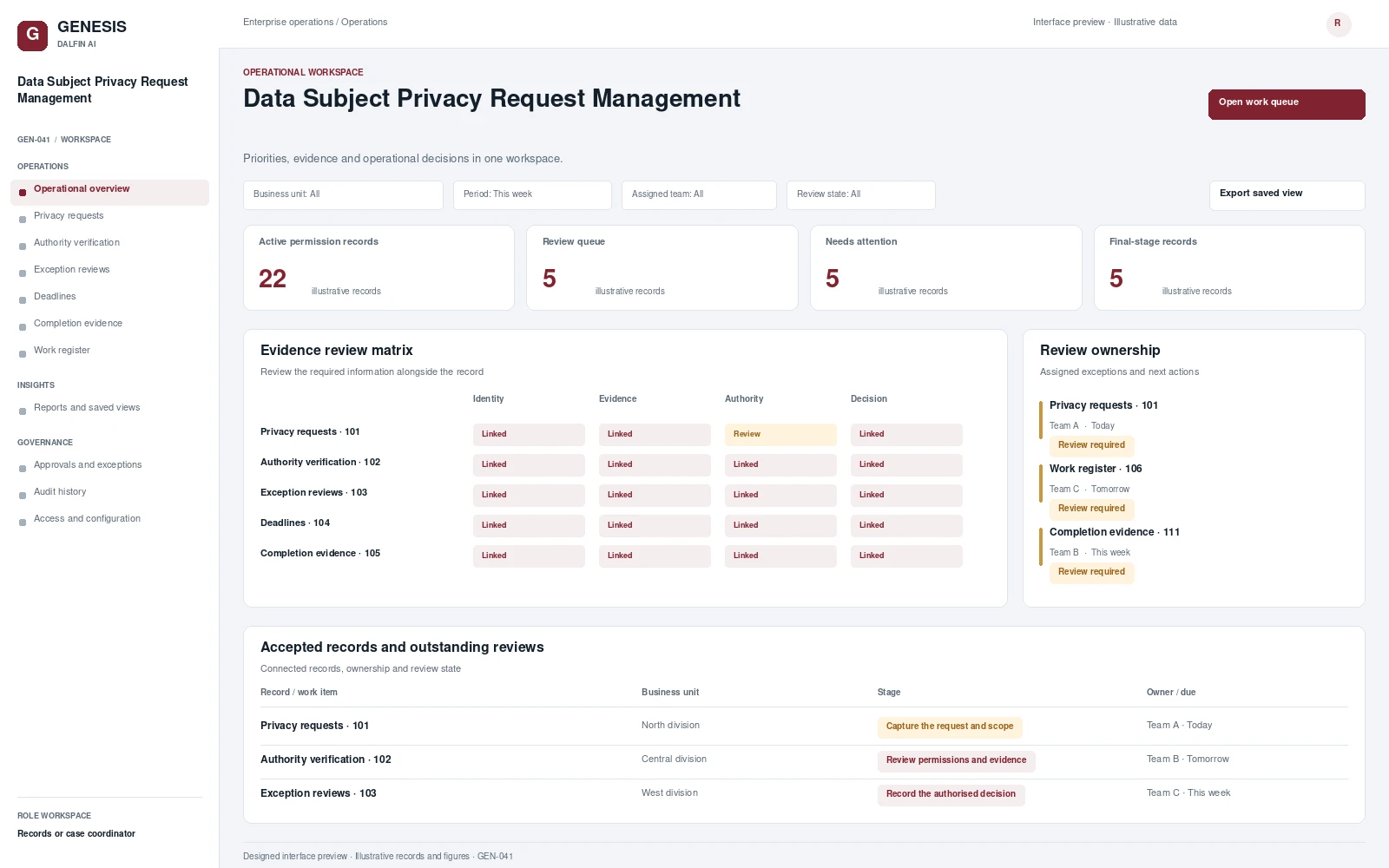 Interface preview
Coordinates privacy requests from identity and authority verification through approved response delivery.
View blueprint →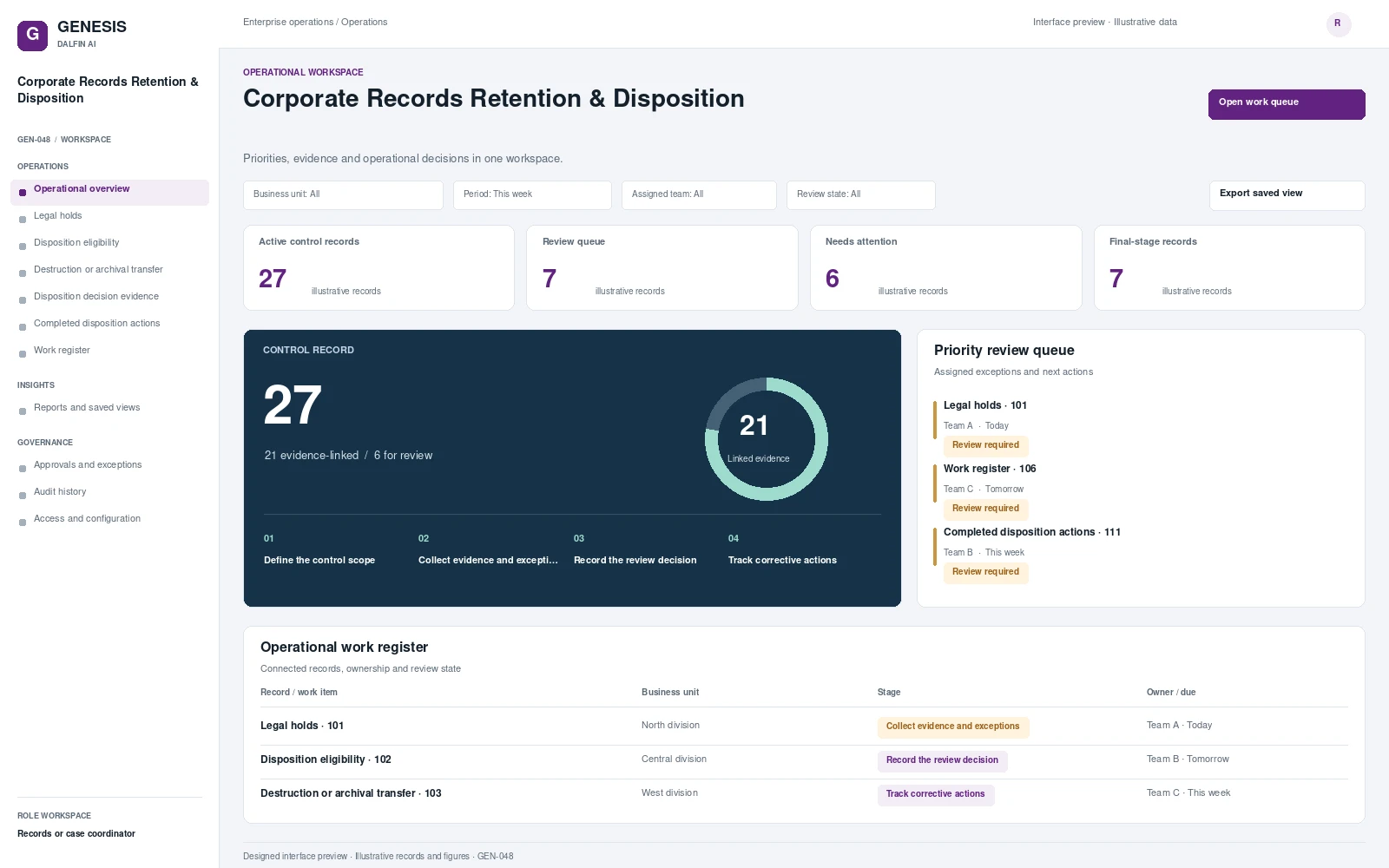 Interface preview
Classifies business records against configured retention obligations and access rules.
View blueprint →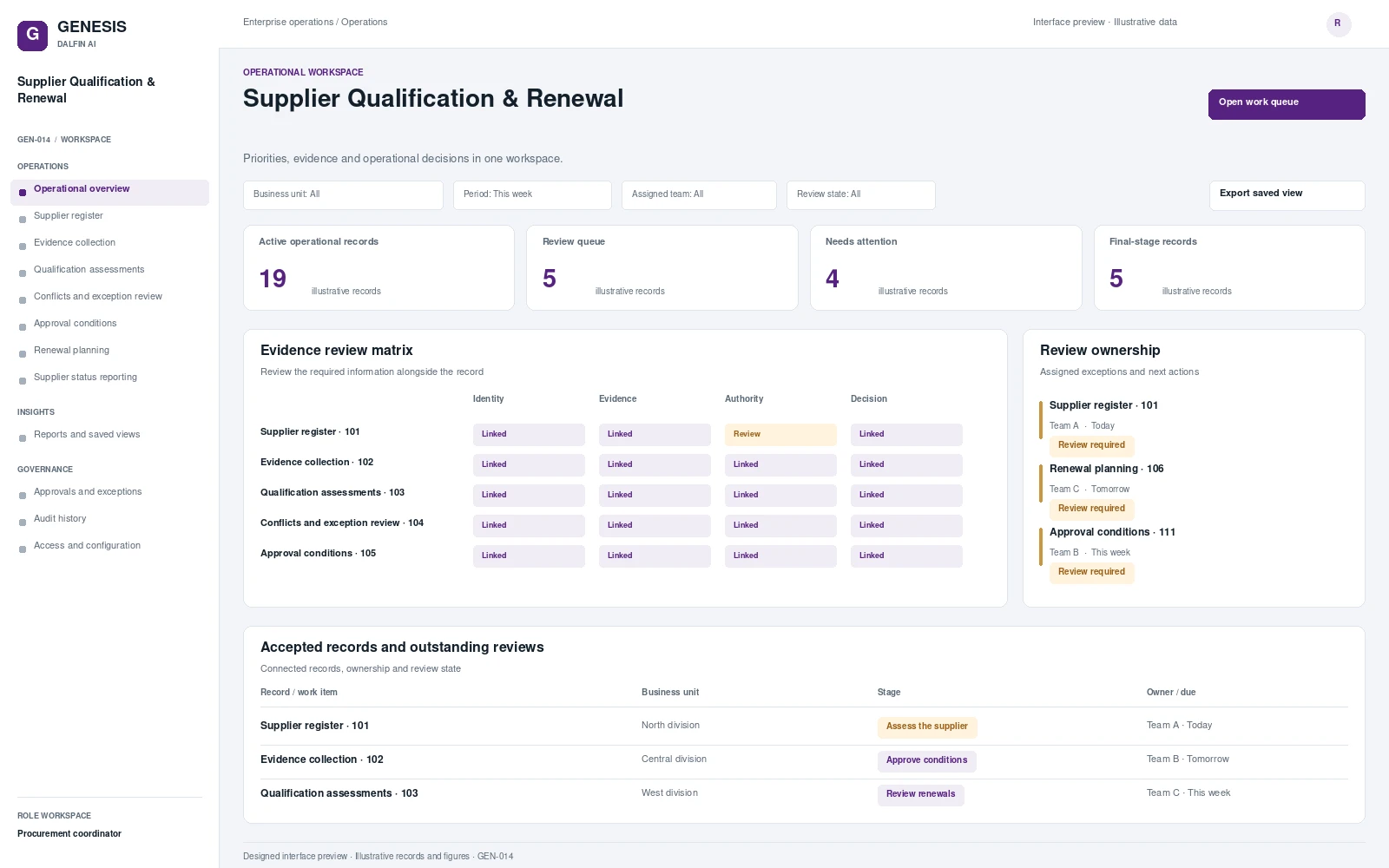 Interface preview
Coordinate supplier evidence, risk review, approval conditions and renewals in one accountable qualification process.
View blueprint →