
Operational views
Review work, evidence, exceptions and authorised decisions within a defined operating scope.
Healthcare / APPLICATION BLUEPRINT
Coordinates unresolved handover commitments between care providers.
11 workspace menus · 9 business workflows · 5 role profiles
Application blueprint only. This is a proposed design, not a deployed or production-tested system. Screens and sample figures are illustrative; workflows, business rules, approvals, permissions and integrations require confirmation before build.
Designed for care coordinators and the responsible business owners
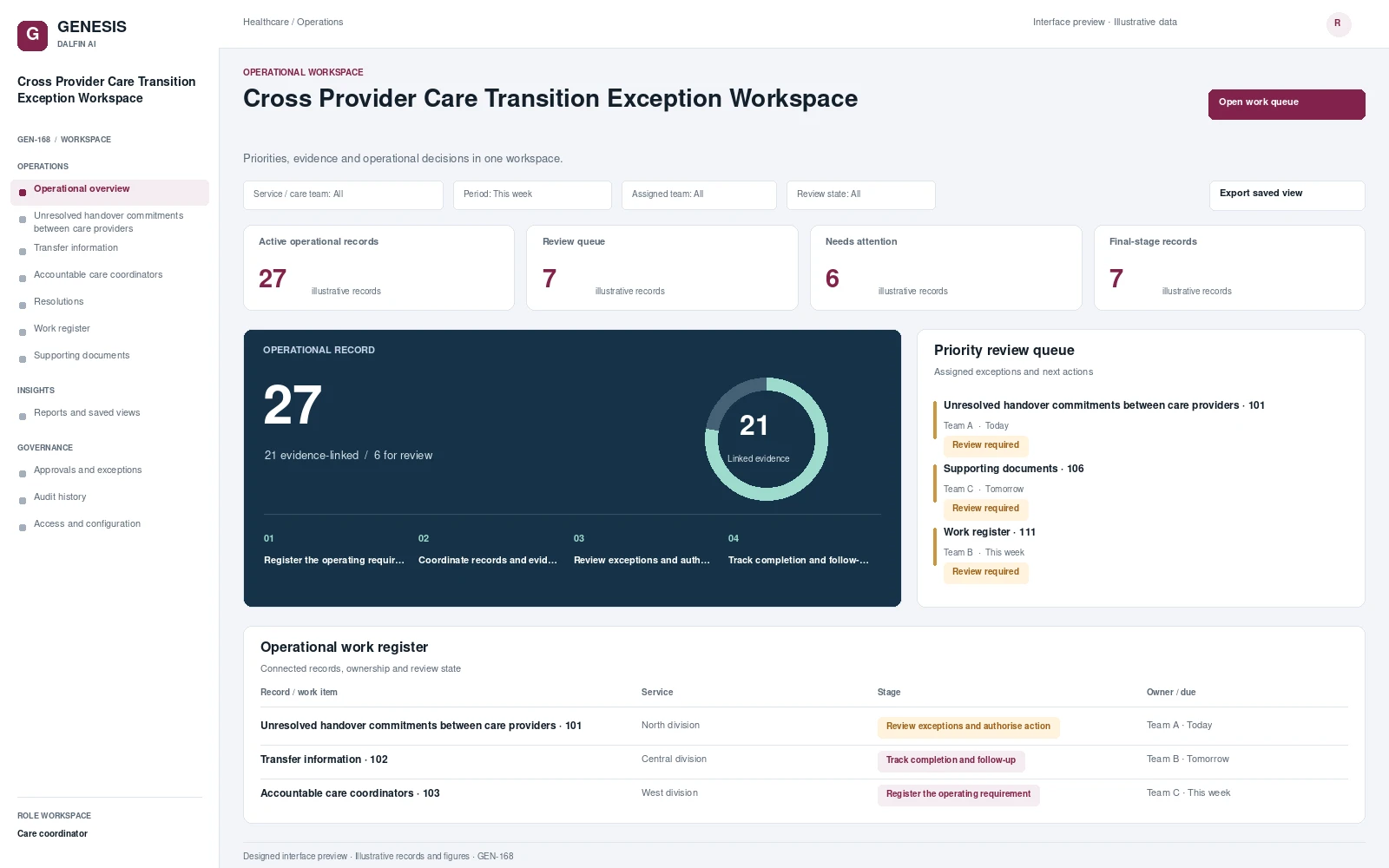
Illustrative workspace and record review. Select a concept screen to inspect it in full.
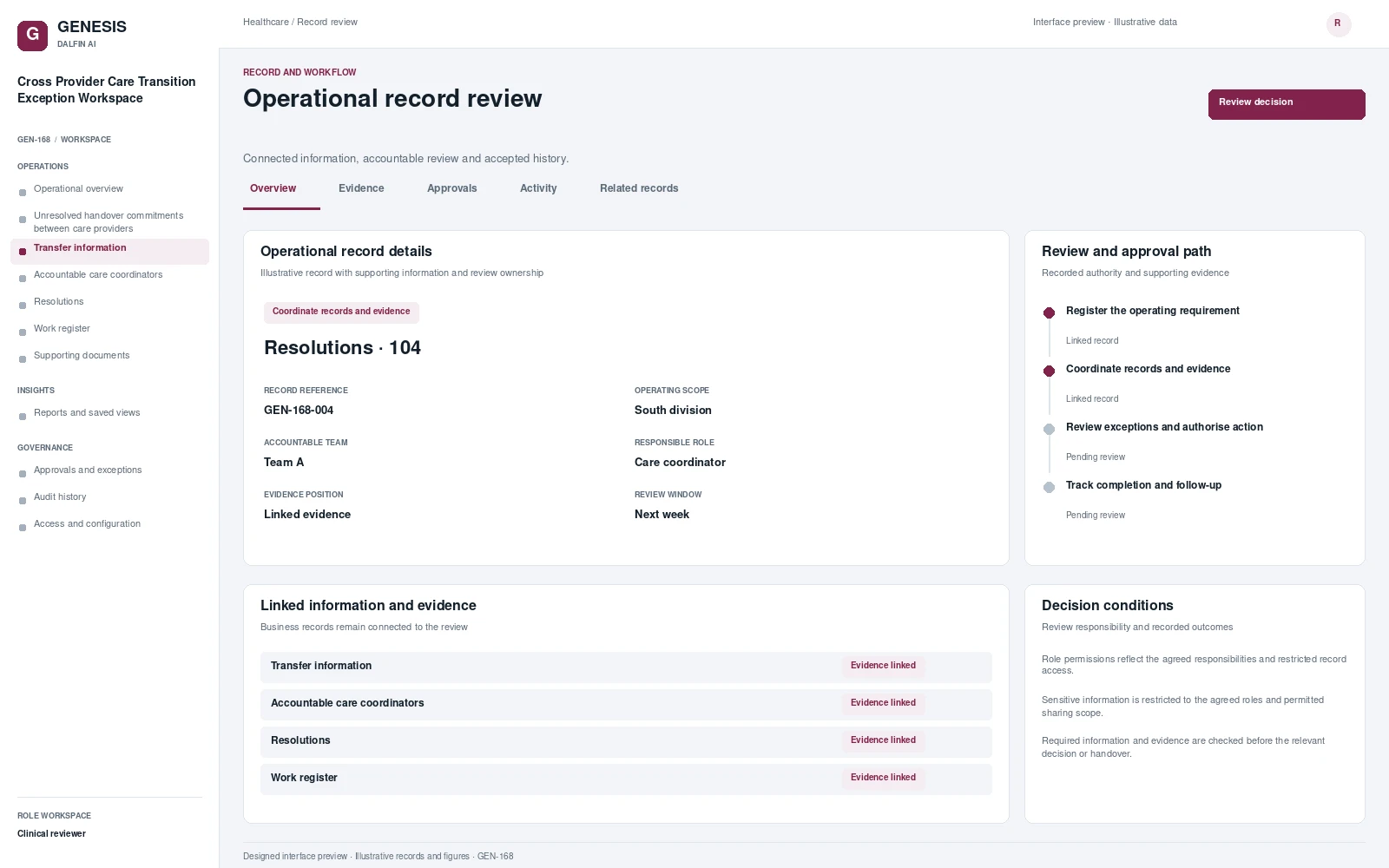
Review work, evidence, exceptions and authorised decisions within a defined operating scope.
Coordinates unresolved handover commitments between care providers. Compares authorised transfer information with receiving-service confirmations, assigns accountable care coordinators and records agreed resolutions, with restricted access and visibility of outstanding actions affecting continuity of agreed care.
From intake to authorised completion, with evidence at each decision.
Establish the scope of unresolved handover commitments between care providers, capture the required records and assign the accountable team.
Coordinate transfer information, accountable care coordinators, with linked evidence and visible outstanding actions.
Review the relevant conditions and exceptions. Record the authorised outcome and its supporting evidence.
Confirm the resulting records and handovers. Track remaining obligations, later changes and follow-up actions.
Select a workflow to review the steps, responsibilities, approval and exception handling.
Coordinate unresolved handover commitments within Cross Provider Care Transition Exception Workspace.
Trigger
Unresolved handover commitments requires a new record, an agreed review or a controlled change.
Responsible role
Care coordinator
Approval
Service authoriser records the decision when the action changes an accepted commitment or requires delegated authority.
Exception handling
The receiving team declines an obligation or a dependency remains open.
Outcome
Accepted responsibility, transfer evidence and retained follow-up obligations.
Coordinate authorised transfer information within Cross Provider Care Transition Exception Workspace.
Trigger
Authorised transfer information requires a new record, an agreed review or a controlled change.
Responsible role
Care coordinator
Approval
Service authoriser records the decision when the action changes an accepted commitment or requires delegated authority.
Exception handling
The receiving team declines an obligation or a dependency remains open.
Outcome
Accepted responsibility, transfer evidence and retained follow-up obligations.
Coordinate accountable care coordinators within Cross Provider Care Transition Exception Workspace.
Trigger
Accountable care coordinators requires a new record, an agreed review or a controlled change.
Responsible role
Care coordinator
Approval
Service authoriser records the decision when the action changes an accepted commitment or requires delegated authority.
Exception handling
Required information or responsibility is missing, or an operating condition changes.
Outcome
A completed operating record with its linked evidence and remaining obligations.
Coordinate agreed resolutions within Cross Provider Care Transition Exception Workspace.
Trigger
Agreed resolutions requires a new record, an agreed review or a controlled change.
Responsible role
Care coordinator
Approval
Service authoriser records the decision when the action changes an accepted commitment or requires delegated authority.
Exception handling
Required information or responsibility is missing, or an operating condition changes.
Outcome
A completed operating record with its linked evidence and remaining obligations.
Coordinate operating requirement within Cross Provider Care Transition Exception Workspace.
Trigger
Operating requirement requires a new record, an agreed review or a controlled change.
Responsible role
Care coordinator
Approval
Service authoriser records the decision when the action changes an accepted commitment or requires delegated authority.
Exception handling
An assumption changes, prerequisites are missing or stakeholders cannot accept the proposed commitment.
Outcome
An approved operating plan and owned actions for its accepted conditions.
Coordinate operating exceptions within Cross Provider Care Transition Exception Workspace.
Trigger
Operating exceptions requires a new record, an agreed review or a controlled change.
Responsible role
Care coordinator
Approval
Service authoriser records the decision when the action changes an accepted commitment or requires delegated authority.
Exception handling
The case exceeds delegation, contains a conflict or has disputed evidence.
Outcome
An authorised decision or escalation with accountable resolution actions.
Coordinate completion and follow-up within Cross Provider Care Transition Exception Workspace.
Trigger
Completion and follow-up requires a new record, an agreed review or a controlled change.
Responsible role
Clinical reviewer
Approval
Service authoriser records the decision when the action changes an accepted commitment or requires delegated authority.
Exception handling
Evidence is incomplete, disputed, expired or outside the reviewer’s authority.
Outcome
A review finding, its accepted evidence and any accountable corrective actions.
Coordinate controlled operating changes within Cross Provider Care Transition Exception Workspace.
Trigger
Controlled operating changes requires a new record, an agreed review or a controlled change.
Responsible role
Clinical reviewer
Approval
Service authoriser records the decision when the action changes an accepted commitment or requires delegated authority.
Exception handling
Evidence is incomplete, disputed, expired or outside the reviewer’s authority.
Outcome
A review finding, its accepted evidence and any accountable corrective actions.
Coordinate scoped operational reports within Cross Provider Care Transition Exception Workspace.
Trigger
Scoped operational reports requires a new record, an agreed review or a controlled change.
Responsible role
Care coordinator
Approval
Service authoriser records the decision when the action changes an accepted commitment or requires delegated authority.
Exception handling
Required information or responsibility is missing, or an operating condition changes.
Outcome
A completed operating record with its linked evidence and remaining obligations.
Interface scope, data mapping and testing are agreed for each engagement.
Authorised users can review unresolved handover commitments between care providers, supporting records and assigned actions through mobile and tablet access. The relevant tasks and permissions are agreed for the deployment.
Access approved workflows through the Dalfin mobile app. Device tasks and permissions are confirmed for the deployment.
Core workflows and approval rules are defined with your business owners. Operational AI can be assessed separately against a specific business outcome and review requirements.
AI extensions are scoped around the required data, business outcome and review controls.
Connect requirements, roles, records, workflows and interfaces through the agreed Genesis engineering process.
Review dependency impact and validation requirements. Context Memory supports governed changes and accepted application revisions.
Agree customer cloud or on-premises requirements, device access, implementation acceptance and ongoing engineering support.
AN EXAMPLE OPERATING SCENARIO
Start with unresolved handover commitments between care providers and follow the record through coordinate records and evidence. Introduce a missing item or operating exception, record the authorised resolution and inspect the final handover, evidence and history.
Review a representative operational record, its workflow stages, accountable roles, an exception and the resulting operational report. Bring the business process and existing system requirements that matter to your organisation.
The operating scope covers your records, role permissions, review authority, business rules and integration boundaries. These requirements are agreed with the responsible business owners.
Connection design defines interfaces, data ownership, mapping, authentication and exception handling. The agreed implementation includes validation against the selected systems and workflows.
The agreed engineering approach covers review of change impact, bounded implementation, validation and accepted revisions. Discuss the relevant Genesis Context Memory and support requirements during solution scoping.
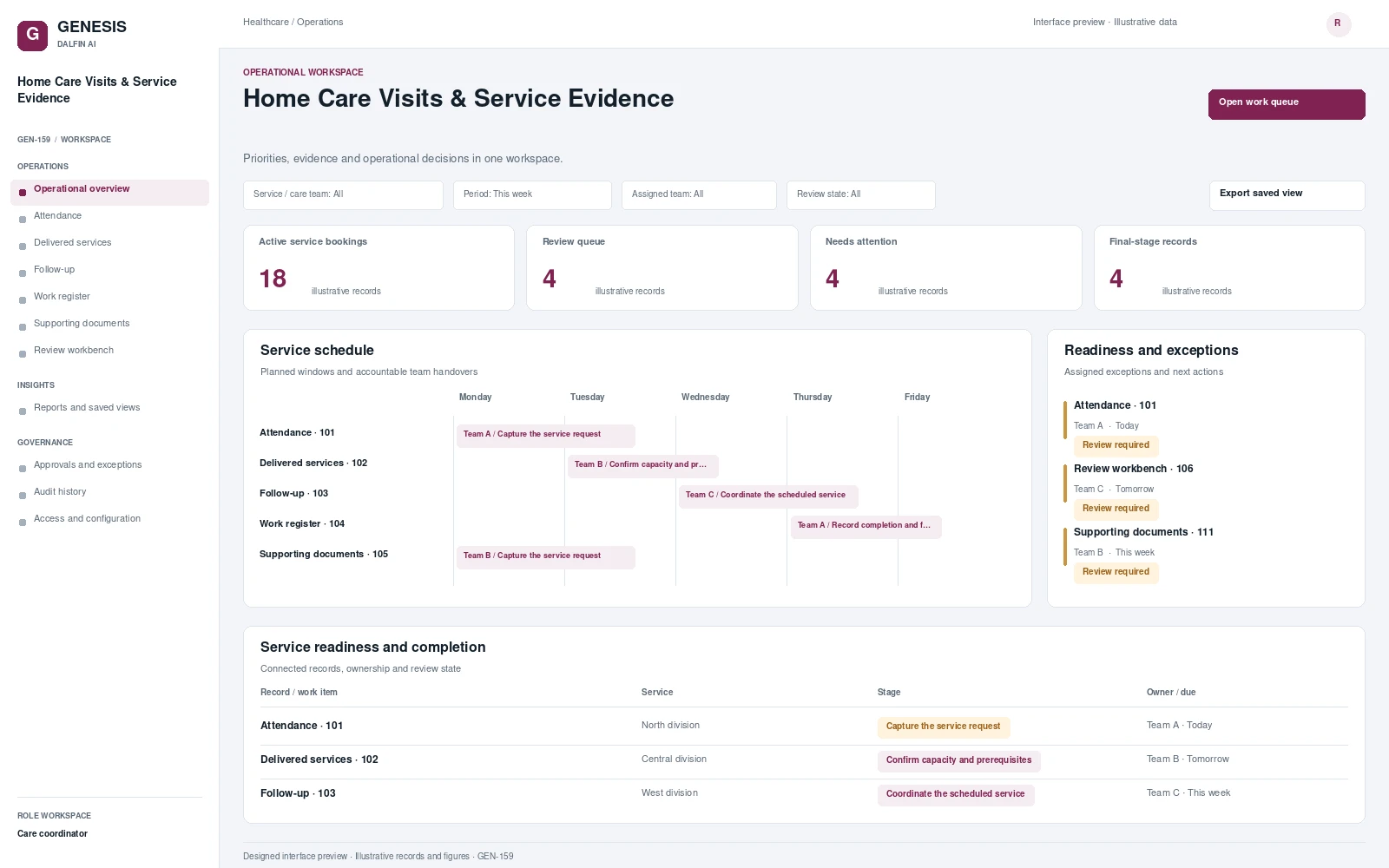 Interface preview
Converts approved home care plans into scheduled visits matched to authorised workers.
View blueprint →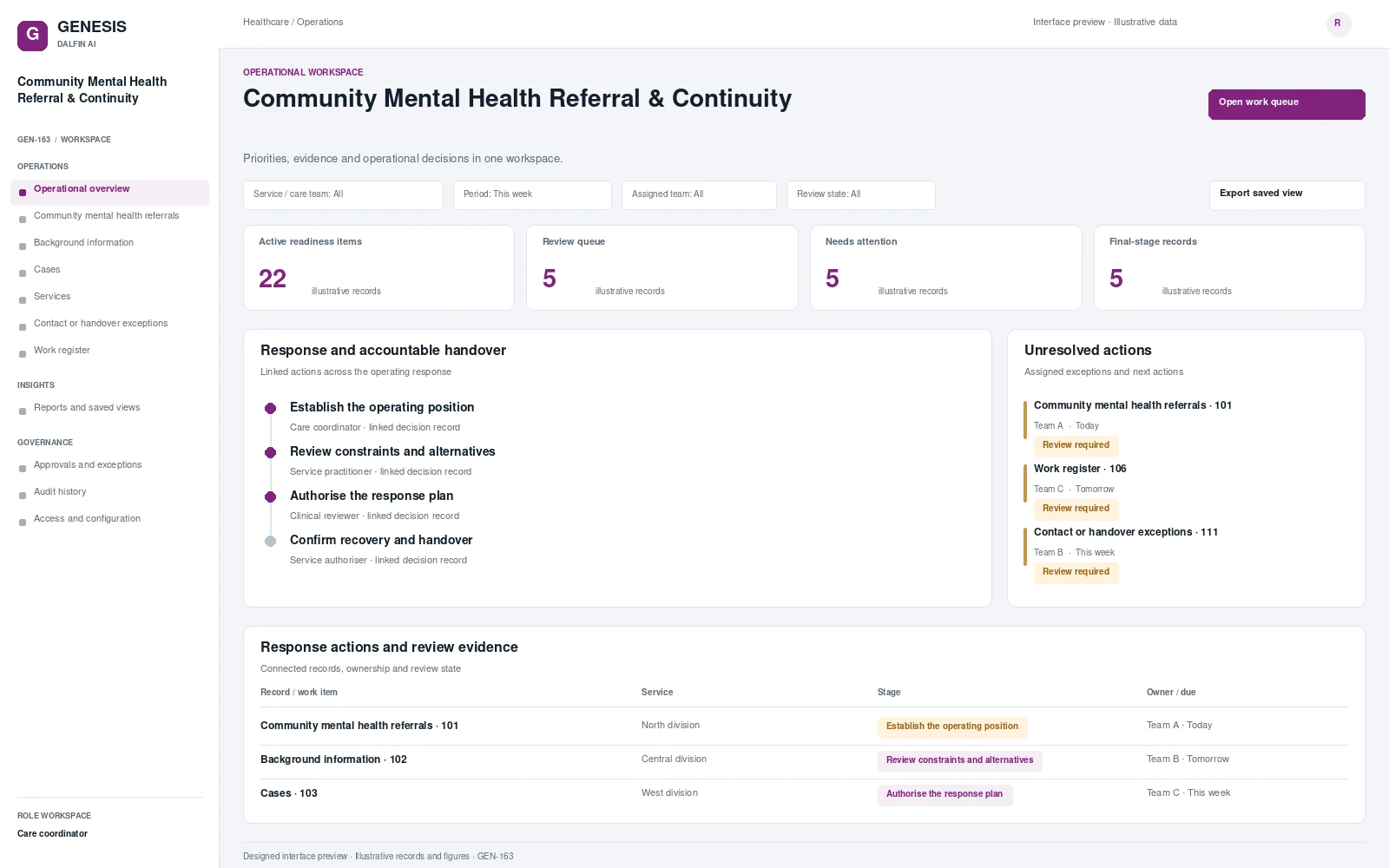 Interface preview
Coordinates community mental health referrals and authorised background information.
View blueprint →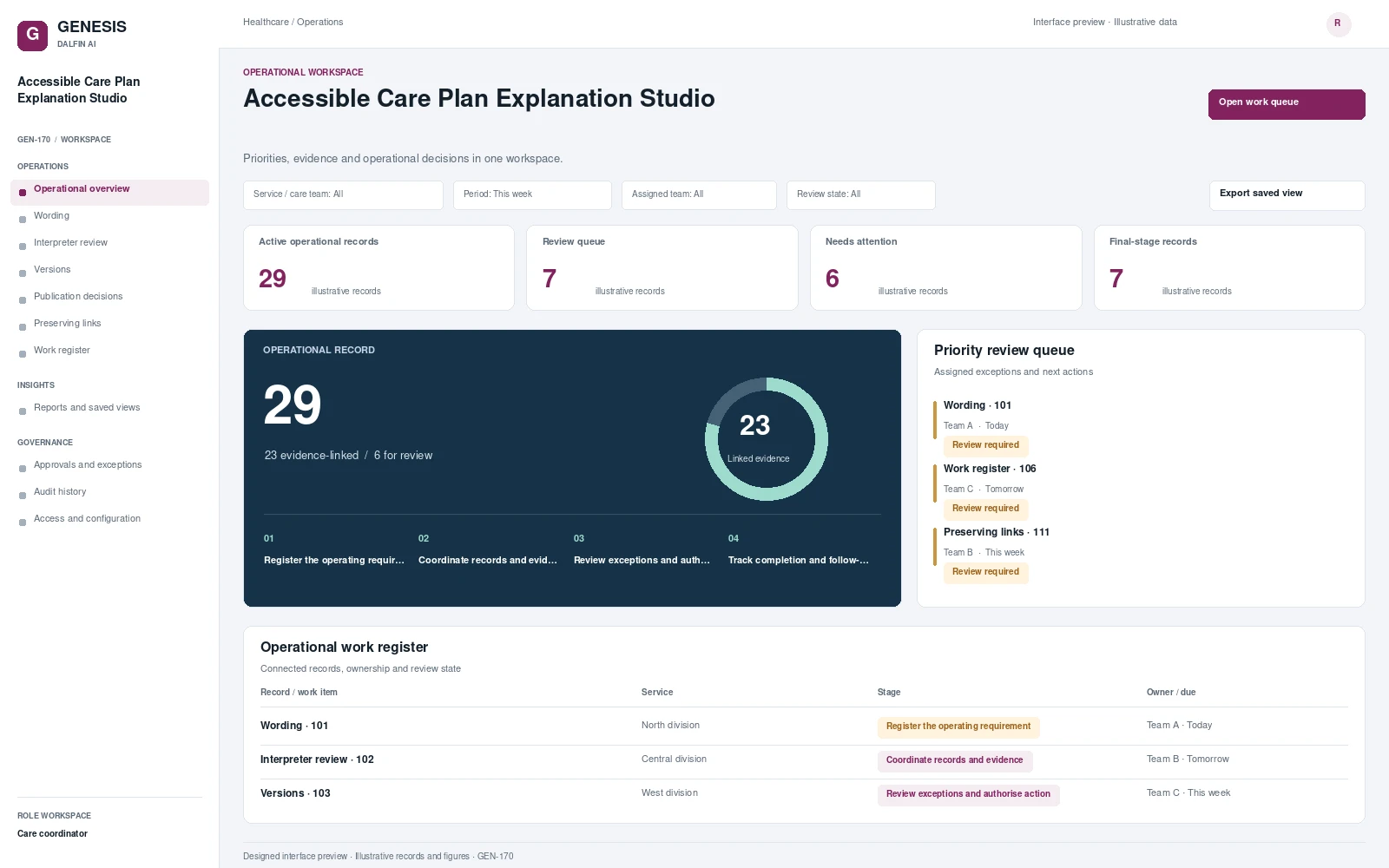 Interface preview
Produces draft accessible explanations and translations from authorised care plan content.
View blueprint →